2026.06 · Tech rider template
A tech rider template should show what sound engineers need before load-in: who is on stage, what needs a channel, what the band brings, and who to contact.
RigFlow keeps the stage plot, input list, DI boxes, IEMs, wedges, equipment notes, setlist, and contact details together, then exports those details as one production PDF the venue can prepare from.
Use this tech rider template when you need to send a clear advance document to a venue or sound engineer without turning a small show into a long touring rider.
PDF example
Start with the five details venues check first
The stage plot shows where people and gear go. The input list shows what the sound desk receives. Monitor notes explain wedges and IEMs. Equipment notes, setlist context, and contact details explain what the venue should prepare and who to ask.
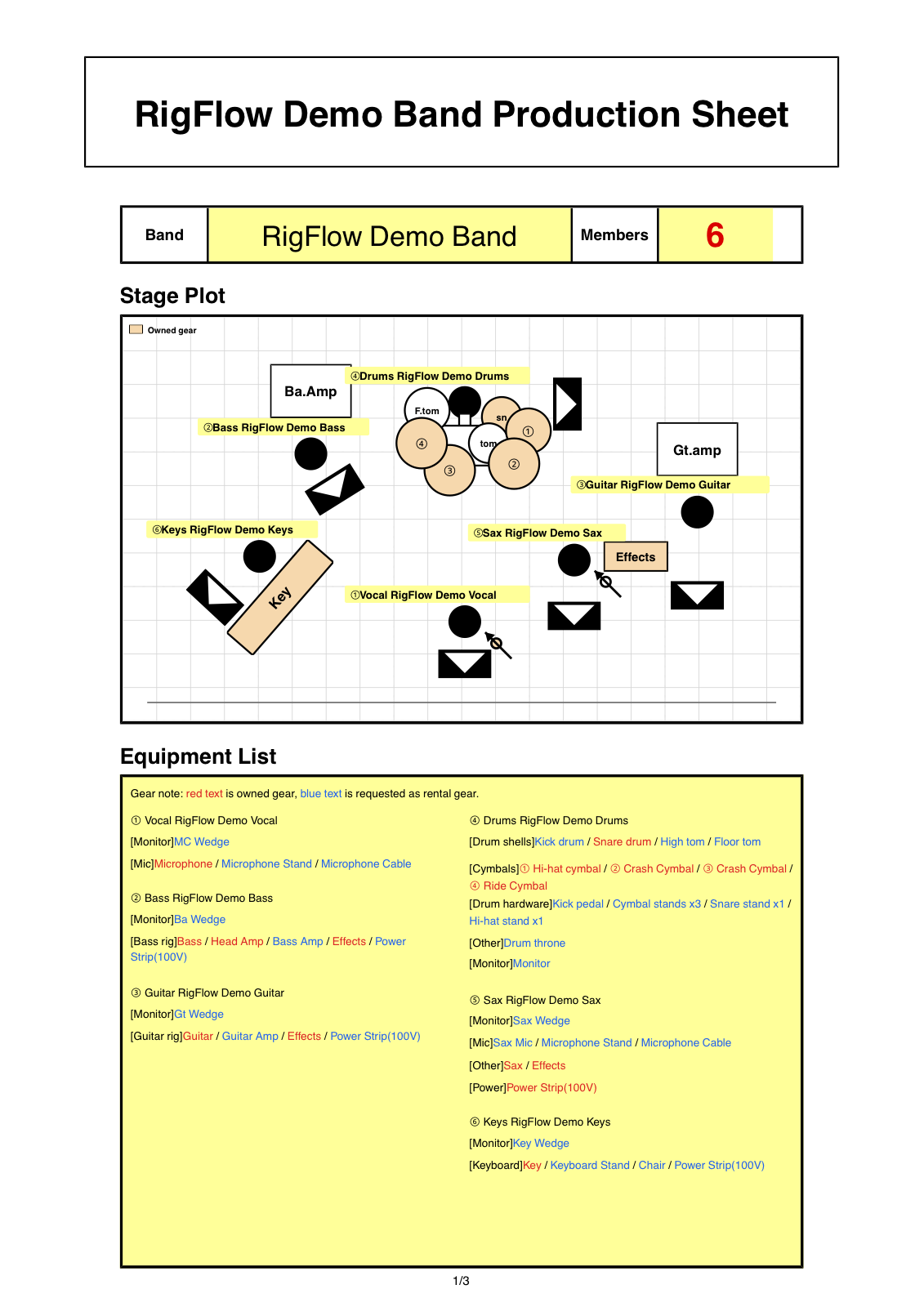
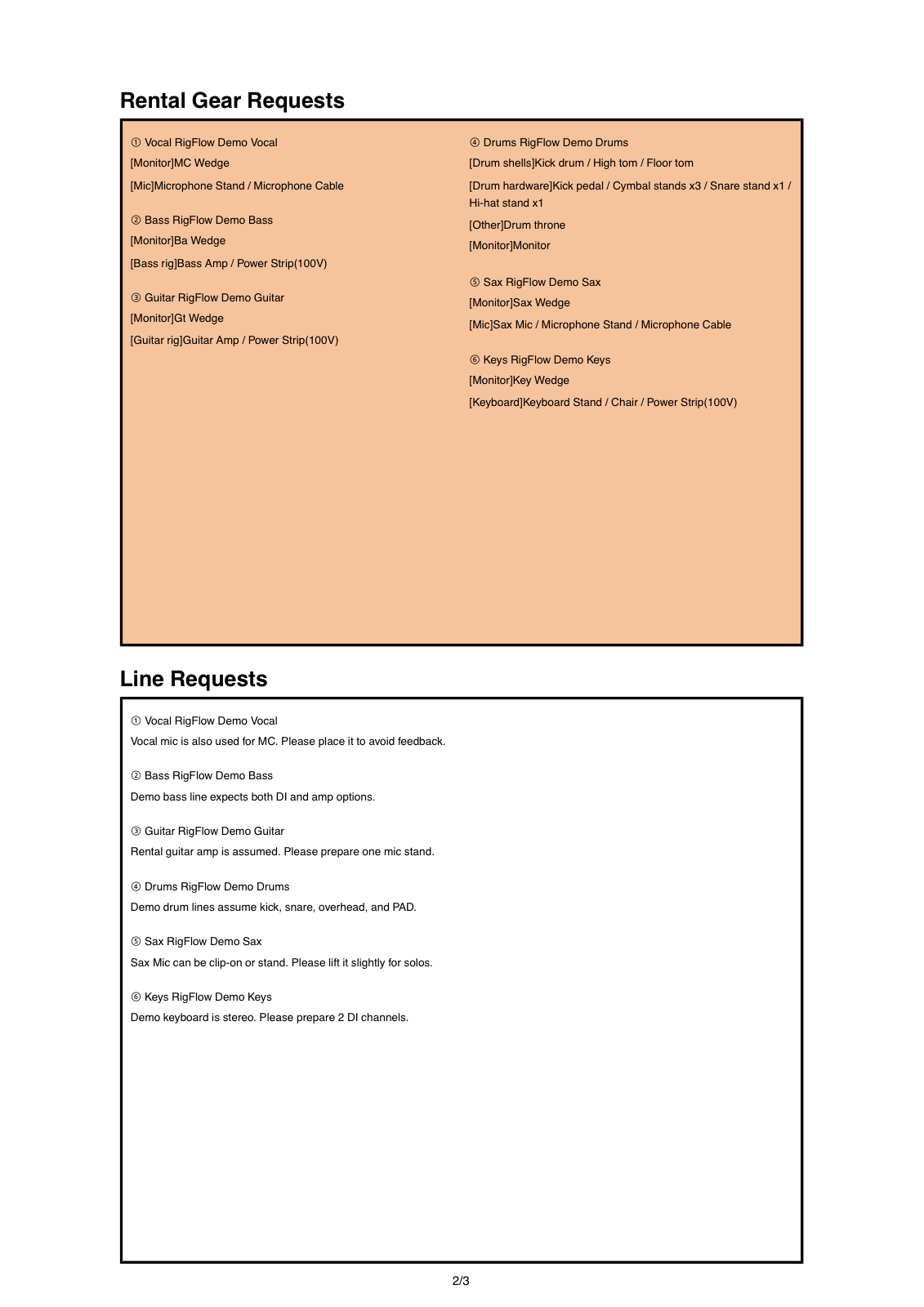
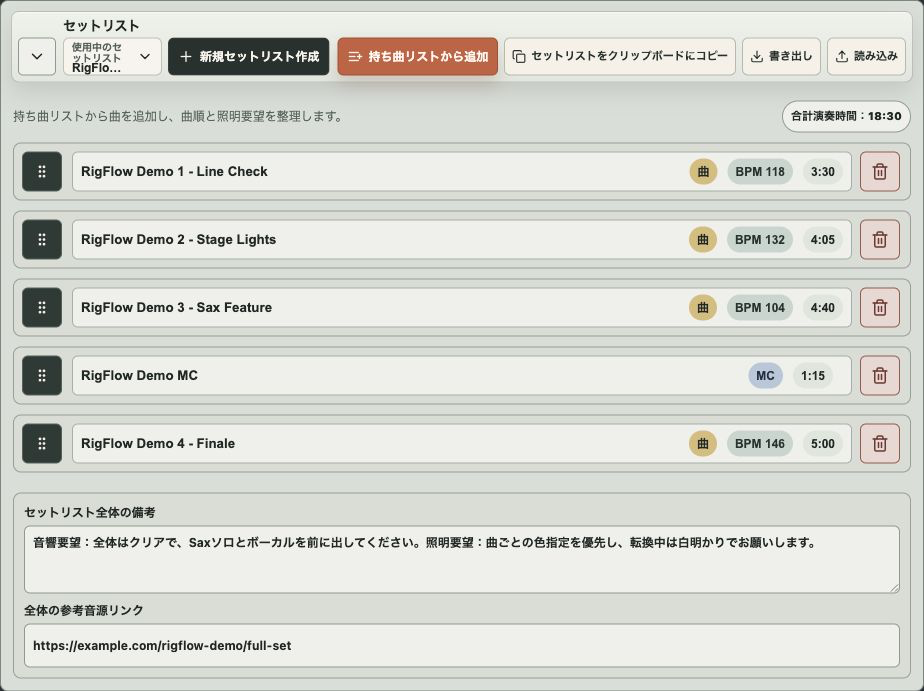
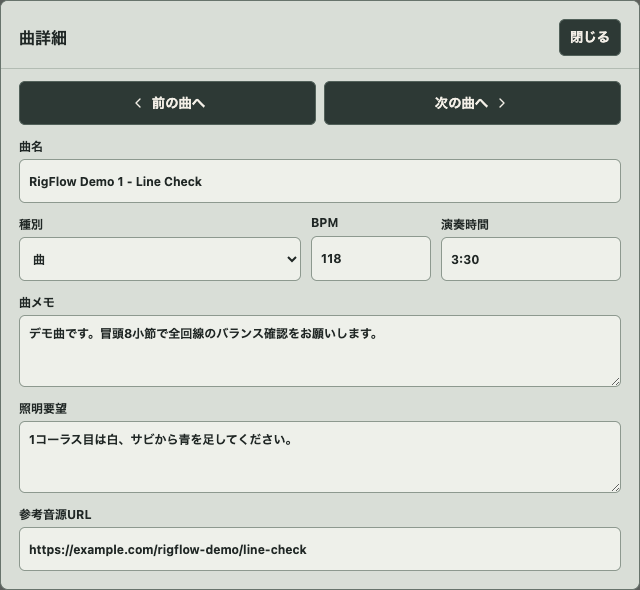
A tech rider turns band details into venue preparation
A band tech rider should include the show identity, production contact, a clear stage plot, the input list, equipment notes, monitor needs, setlist context, and any venue requests that affect setup.
Small bands do not need to imitate a touring production book. If the venue can see who stands where, what needs a channel, which DI boxes, IEMs, or wedges are needed, what gear is brought, and who to contact, the rider is already useful.
The best tech rider is not the longest one. It is the one a sound engineer can prepare from without guessing.
What to include in the template
- Band name, venue, show date, and production contact
- Audience-facing stage plot with performer positions
- Input list for vocals, microphones, DI boxes, playback, and channels
- Monitor notes for IEMs, wedges, mixes, and who needs them
- Equipment notes for brought gear, backline, power, and venue requests
- Setlist, changeover notes, and lighting or playback context
How to prepare the tech rider
- 01
Add show and contact details
Start with the band name, venue, date, production contact, and any urgent notes so the PDF is identifiable when it is forwarded.
- 02
Create the stage plot
Place performers and gear from the audience view so the venue can prepare positions, backline, power, and monitor areas without reversing the layout.
- 03
Connect inputs and monitors
Add microphones, DI boxes, stereo sources, playback, IEMs, wedges, and power notes around the performer who needs them.
- 04
Review equipment notes and setlist
Mark what the band brings, what the venue should provide, and any setlist notes that affect changeovers, playback, or lighting.
- 05
Export the production PDF
Preview the final pages in RigFlow, then export the production PDF you can send to a venue or sound engineer.
Keep it practical for small bands
Do not split every detail into a separate spreadsheet unless the show needs it. A readable PDF that connects positions, channels, monitor needs, gear, and songs is often easier for a small venue to use.
Use equipment notes for exceptions: borrowed amps, personal microphones, stereo playback, power needs, or anything the venue should confirm before show day.
Common mistakes before sending
- Sending a long rider without a readable stage plot
- Listing instruments without an input list or channel context
- Forgetting whether playback, DI, IEMs, or wedges are needed
- Hiding equipment notes in email instead of the PDF
- Leaving out contact details for production questions
- Making a small-band rider so complex that nobody checks it
Checklist before exporting the PDF
- Show identity and contact details are visible
- The stage plot and input list agree
- DI boxes, IEMs, wedges, and playback needs are clear
- Equipment notes separate brought gear and venue requests
- The setlist context is included when it affects production
- The exported production PDF is ready to send to a venue
Frequently asked questions
What should a band tech rider include?
Include show details, contact details, a stage plot, input list, equipment notes, setlist context, and any venue requests that affect setup.
Should small bands make a full technical rider?
Small bands should keep it practical. A clear PDF with the setup, channels, gear, songs, and contact details is better than a long document nobody reads.
Can RigFlow export a tech rider?
RigFlow exports the connected stage plot, equipment details, and setlist information as a production PDF that can be sent to a venue.